Posts

SPO600 Lab5 64-Bit Assembly Language Lab Pt.1 ---AArch64 part

Image
In this Lab, I am going to experiment with assembler on the x86_64 and aarch64 platforms. Task 1 Observe the difference between source code and the object file of the aarch64 assembly language  source file: object file: Task 2 -- A loop which print 6 "Loop" word  I have to modify a provided code block in the aarch64 system to print loop for 6 times.  modified code: .text .globl _start min = 0                          /* starting value for the loop index; **note that this is a symbol (constant)**, not a variable */ max = 6                         /* loop exits when the index hits this number (loop condition is i<max) */ _start:      mov     x19, min loop:      /* ... body of the loop ... do something useful here ... */      mov     x0, 1           /* file des...
SPO600 Lab4 -GCC Build Lab

Image
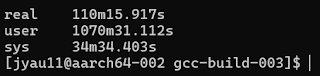
 In this lab, we are practicing about building large software project, utilizing tools such as make and automake/autotools. I will work on two server, x86-001 and aarch64-002 Task  - on each of the servers, obtain build and install the source code for the current development version of the GCC compiler. Step 1 - Obtain the source code  step 1.1 the command to create a directory for cloning the GCC source code: mkdir gccsource  step 1.2 command to clone the source code into the current directory: git clone git://gcc.gnu.org/git/gcc.git ./gccsource Step 2 - Configure the build step 2.1 Create a directory for the build of GCC and go into it. We use this directory to build the ggc so that the files created during the build go into this directory. Commands: mkdir gcc-build-003 cd gcc-build-003 step 2.2 When I configure the build,  I do not want the new GCC wipe out the original gcc in the server. So, I use the --prefix=$HOME/spo600/lab4/gcc-test-003 to set the target...

SPO600 Lab3 - decide what to write

Image
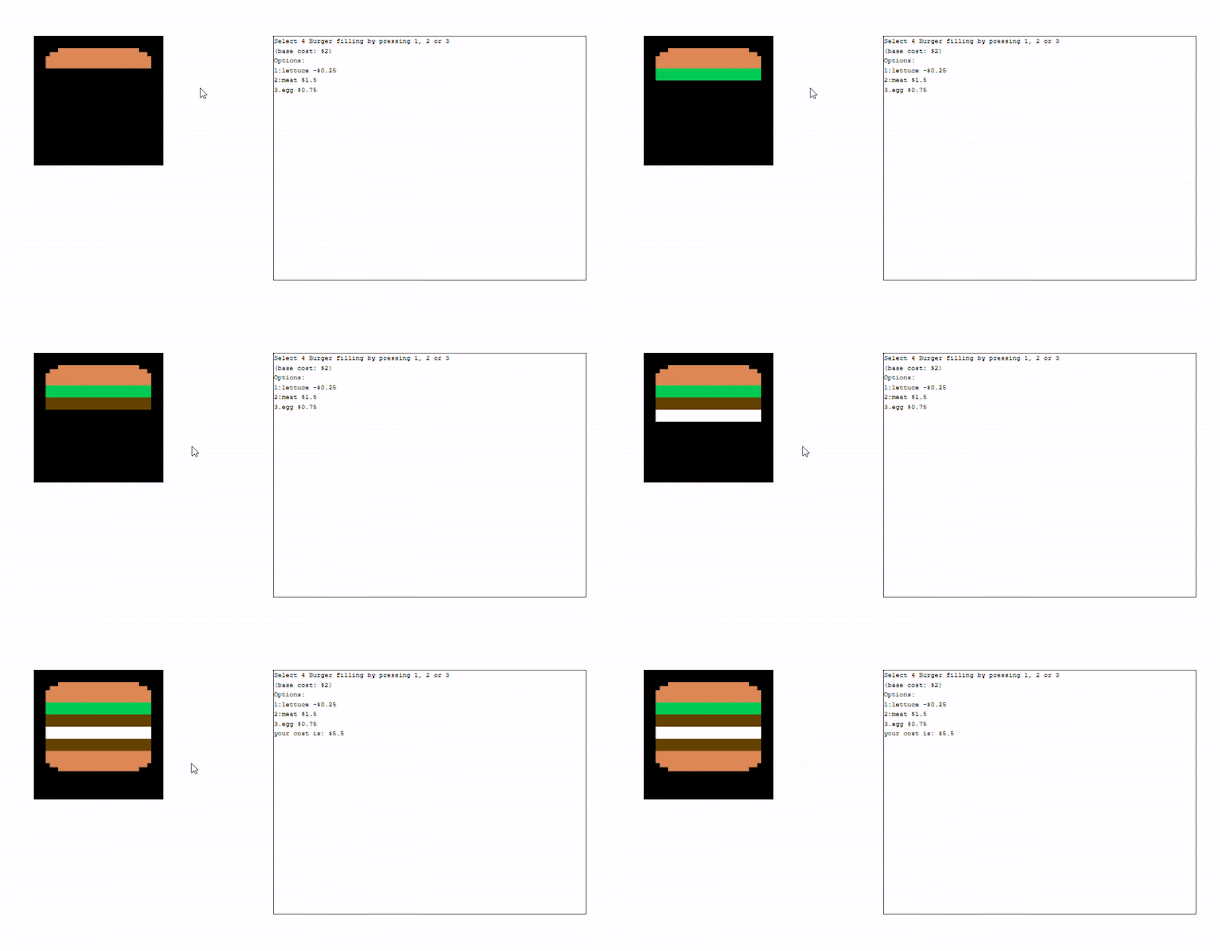
 Hamburger application In this Lab, we are allowed to decide what program to write  as long as the program meet the below criteria:- 1. The program have to work in the 6520 Emulator 2. Output to the character screen and the graphic screen 3. get input from the keyboard 4. use some math instruction, e.g. add/ subtract On this long night of assignments, I was so hungry that I decided to create a Hamburger application to design my own burger! Remark: This program is original. Specification: 1. The user will be able to choose the filling of the hamburger, e.g. egg, meat and vegetables, by pressing number key on keyboard. 2. Instruction of the program, filling options and respective cost will be printed on the character screen.  3. The graphic screen will show the hamburger. When filling is choose by the user, the filling will be added to the graphic screen. 4. After four filling are added, the burger on the graphic display will be completed.  5. Total cost will be calcul...

SPO600 Lab2 (Pt.3)-- challenges 3 & 4 and reflection

SPO600 Lab2 (Pt.3)-- challenges 3 & 4 and  reflection Subsequence to part1 and part2 , I am revising a 6502 instruction assembly program which allows a logo to bounce within the screen. Challenges Lets work on Challenges 3 and 4. 1. Permit integer value other than -1 and +1 for the X and Y increments (logo velocity). 2. Permit fractional value for the X and Y increments (eg. +1.5 or -0.75) 3. Perturb the ball's position or velocity  4. Change the graphic image or colour each time it bounces  Problems analysis and solutions Assumption:  1. Only velocity of the bounce direction will be changed. 2. the logo is allowed to stop in case the ball velocity changed to 0 due to the perturbing. (unlikely happening) 3. We do not do perturb to the position since it is just similar to that of velocity. Solution: Simple add a Perturb subroutine so that we can add perturbing when it bounds. code: ; draw-image-subroutine.6502 ; ; This is a routine that can place an arbitrary ;...

SPO600 Lab2 (Pt.2)-- challenges 1 and 2

In Part 1 , I have modified the code of 6502 processor so that an logo can bounce within the screen.  Challenges Now, we have a few challenges. We would like to modified the code so that it can meet the following requirement: 1. Permit integer value other than -1 and +1 for the X and Y increments (logo velocity). 2. Permit fractional value for the X and Y increments (eg. +1.5 or -0.75) 3. Perturb the ball's position or velocity (To be done next blog) 4. Change the graphic image or colour each time it bounces (To be done next blog) Challenge 1.  Problems analysis and solutions Assumption: the velocity cannot be larger than the screen size, i.e. the ball will not bounce more than once within one frame.  Problem of Challenge 1: Since the current algorithm is just checking whether the logo is on the edge to decide whether we should reverse the velocity to perform a bounce. However, it only works when the velocity is 1. If the velocity is 2 and the displacement of the ball fro...

SPO600 Lab2 (Pt.1)

 In this Lab, I was provided with below 6502 processor assembly program. The program is to display a logo on the screen. The logo moves with increment of x and y by 1. When it reach the edge, it will go back to the initial position of top left (x=0, y=0).  Original code is as below (Copyright details in the program beginning comment):- ; ; draw-image-subroutine.6502 ; ; This is a routine that can place an arbitrary ; rectangular image on to the screen at given ; coordinates. ; ; Chris Tyler 2024-09-17 ; Licensed under GPLv2+ ; ; ; The subroutine is below starting at the ; label "DRAW:" ; ; Test code for our subroutine ; Moves an image diagonally across the screen ; Zero-page variables define XPOS $20 define YPOS $21 START: ; Set up the width and height elements of the data structure LDA #$05 STA $12 ; IMAGE WIDTH STA $13 ; IMAGE HEIGHT ; Set initial position X=Y=0 LDA #$00 STA XPOS STA YPOS ; Main loop for diagonal animation MAINLOOP: ; S...

6502 Processor: Stack memory, Stack pointer, program pointer and details of 6502 instructions for jump and rotation

In this blog, I would like to share about program counter(PC), stack , stack pointer(SP) of 6502 processor. I will also share what I learnt regarding the instructions JSR, JMP, RTS, LSR,ASL,ROR, ROL, PHA and PLA while I experienced how they interact with the stack, SP, PC and the register status. Some of the information is from the documentation in the website of mass:werk Program counter (PC) Program counter (PC) is the pointer that keep track of the address of the next instruction to be executed in the memory. The Stack Regarding 6502 processor, the stack is located from $0100 to $01FF. If we store a value into the stack, value is stored starting from $01FF. However, we a 2-byte address is stored, the address closer to the $01FF is the high byte. For example, if we store $0123 to an empty stack. $01FF will be $01 and $01FE will be $23. Stack pointer Stack pointer (SP) is the pointer pointing to the top of stack memory. For 6502 processor, the pointer is pointing to $01FF before the p...